Android App - Opening Screen
When you open the app the screen shown below appears. | |
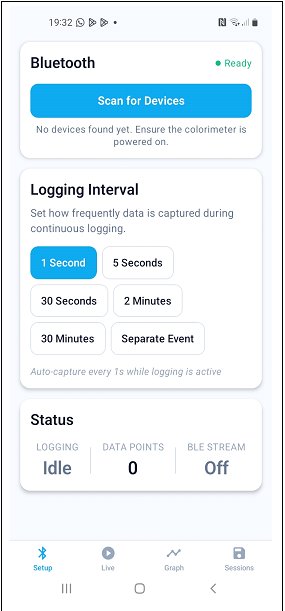 |
When you click 'Scan for Devices' a list of all the colorimeters switched on within range appears and you can tap 'Connect' to select one. | Select the time interval between readings for continuous data recording, or select 'Separate Events' to record single, separate readings. |
Click the icons at the bottom of the screen to navigate between the 'Live', 'Graph' and 'Sessions' screens. |