Android App - Live Screen
Use this screen to control the settings on the colorimeter, start and stop data collection and display results in a table | |
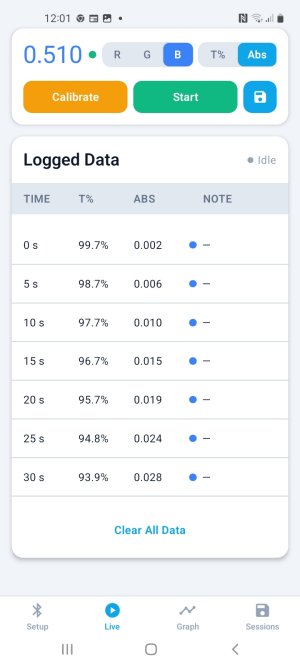 |
The current reading is displayed.Select RGB and A/T Calibrate Start/StopTap the 'Sessions' icon to the right of the 'Start' button to save the current session. | Results are displayed in a table. |
Tap to clear the data. |