Android App - Saving results - The Sessions Screen
| |
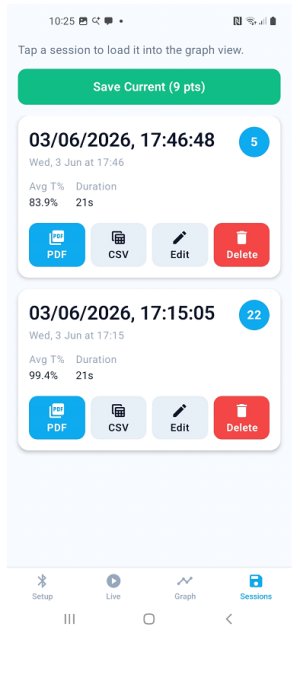 |
Tapping the 'Sessions' icon on the 'Live' or 'Graph' screen opens this page and you can tap 'Save Current' to save your results.Click on a saved session to reopen and view it on the 'Live' or 'Graph' screens. Tap 'Edit' to rename the session or 'Delete' to remove the session. Tap 'PDF' or 'CSV' to export the session as a .pdf or .csv file. |